 Hungrrry
Cooking decisions, made easier
Figure out what to cook without starting from scratch.
Hungrrry brings together recipes you’ve saved, ingredients you already have, and new ideas, then helps you narrow them down one decision at a time.
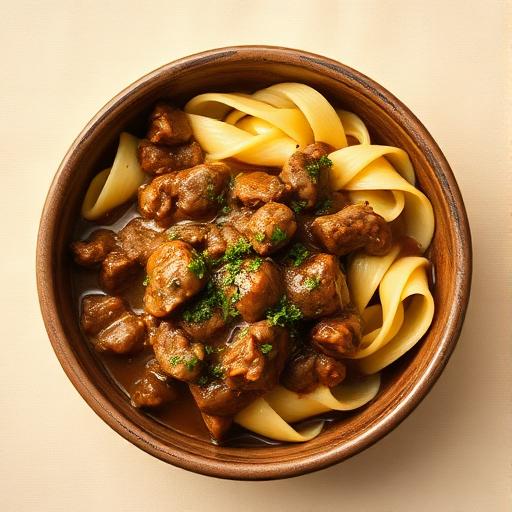
Slow cooker beef stroganoff
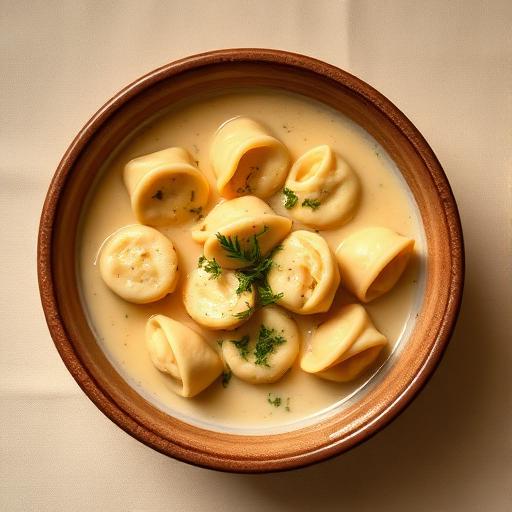
Creamy tortellini soup
An account keeps your cookbooks ready next time you're hungrrry.
Browse public cookbooksFree to use · Works like an app on your home screen
Already have an account? Log in
HOW HUNGRRRY HELPS
Start with what you know. Narrow from there.
You don’t need to know what you want before opening Hungrrry. Start with ingredients you need to use, recipes you’ve already saved, preferences, or nothing at all. Discover turns a huge universe of possibilities into one manageable choice at a time.
Use what you have
Tell Hungrrry which ingredients you want to use and remove recipes that don’t fit.
Bring back what you forgot
Recipes you’ve saved aren’t buried in a folder forever. Hungrrry can resurface them when they’re relevant again.
Make one decision at a time
Instead of comparing dozens of recipes on a screen, Discover gives you one option at a time. Save it, skip it, and keep moving until something feels right.
USE WHAT YOU HAVE
Start with ingredients
Already have ingredients you want to use? Add them, layer in dietary or meal preferences if you want, and Hungrrry removes the options that don’t fit. Instead of searching for the perfect recipe, you narrow the choices until something works.
DISCOVER
One recipe. One decision. Then the next.
Discover deliberately avoids the endless-feed pattern. Instead of asking you to scan and compare dozens of possibilities, Hungrrry shows one recipe at a time. Swipe right when you’d consider making it, left when you wouldn’t. Saved recipes can return when they’re relevant, so discovering something once doesn’t mean losing it forever.
YOUR SHORTLIST & COOKBOOKS
Separate ‘maybe now’ from ‘keep forever.’
A right swipe doesn’t force you to organize anything. It goes into Saved as a temporary shortlist while you’re deciding. When a recipe earns a permanent place, move it into a cookbook.
Save recipes in one tap
Keep good options close at hand
Decide tonight's meal in a few swipes
Return to recipes without starting over
GROCERY
From decision to action without starting over.
Once you’ve chosen a recipe, turn its ingredients into a grocery list, remove what you already have, add anything else you need, and take the same plan with you to the store.
Build grocery lists from recipes
Add ingredients automatically
Share lists with family and friends
Shop with a plan
PERSONAL & SHARED COOKBOOKS
Keep recipes where they belong
Cookbooks organize the recipes you want to keep. Create personal, shared, or public cookbooks for recipes you plan to make, recipes you love, or collections you want to share.
PUBLIC COOKBOOKS
Explore recipes other people actually save
Browse public cookbooks created by other cooks. Save recipes you want to make and add them to your own cookbook.
CAPTAIN'S BLOG
Notes from the captain's log
A running log of what changed, what's coming next, and how Hungrrry is being built.
Browse the captain's log →FAQ
Frequently asked questions
How is Hungrrry different from a recipe website?
Recipe websites help you find recipes. Hungrrry helps you decide what to cook. Use ingredients, saved recipes, filters, and new meal ideas together in one place to make choosing what to cook easier.
Can I find recipes using ingredients I already have?
Yes. Start with ingredients and explore recipes that fit what you already have, what you want to cook, or what sounds good.
Can I save recipes for later?
Yes. Save recipes and organize them however you like so favourite meals are always easy to find.
Can I share recipes and grocery lists?
Yes. Grocery lists and recipe collections can be shared and managed collaboratively.
What if I don't know what I want to make?
You don't need a plan before you open Hungrrry. Start with ingredients, saved recipes, filters, or browse something new. Hungrrry narrows the options so it's easier to decide what to cook.
How does Hungrrry help me decide what to cook?
Hungrrry gives you a few practical paths instead of one blank search box. You can start with ingredients you already have, revisit recipes you've saved before, browse something new, or turn a recipe into a grocery list once you've decided.
What if I have too many saved recipes?
Saved recipes are a 72-hour shortlist while you're deciding. Move favorites into a cookbook to keep them, and recipes you've cookbooked can reappear in Discover when they fit what you're looking for.
Can I use Hungrrry when I'm out of ideas?
Yes. Use Discover when you don't know what to make — filter by mood, meal type, or ingredients on hand to narrow the deck.
Find it. Keep it. Cook it.
Create a free accountFree · No app store · Add to your home screen